Thay chữ Quick View trong theme Flatsomes
Lại Hợp Hiệp 12/09/2018 Thủ thuật Flatsome , Thủ thuật Wordpress 1019 lượt
Hiện nay theme Flatsome đang được nhiều bạn coder sử dụng để custom theme rất mạnh, nhưng 1 số vẫn phải tính năng vẫn phải code theme phù hợp với website của bạn, để thay được chữ Quick View ở phần sản phẩm bạn chỉ việc thêm đoạn function vào file function.php
Thay chữ Quick view trong theme Flatsomes
function my_custom_translations( $strings ) {
$text = array(
'Quick View' => 'Xem nhanh'
);
$strings = str_ireplace( array_keys( $text ), $text, $strings );
return $strings;
}
add_filter( 'gettext', 'my_custom_translations', 20 );
Việt hóa chữ SHOPPING CART – CHECKOUT DETAILS – ORDER COMPLETE trong theme Flatsomes
Đoạn code trên còn có công dụng Việt Hóa 1 số từ trong trang Thanh toán – Giỏ hàng của theme Flatsome thay đoạn trên bằng đoạn dưới này nhé!
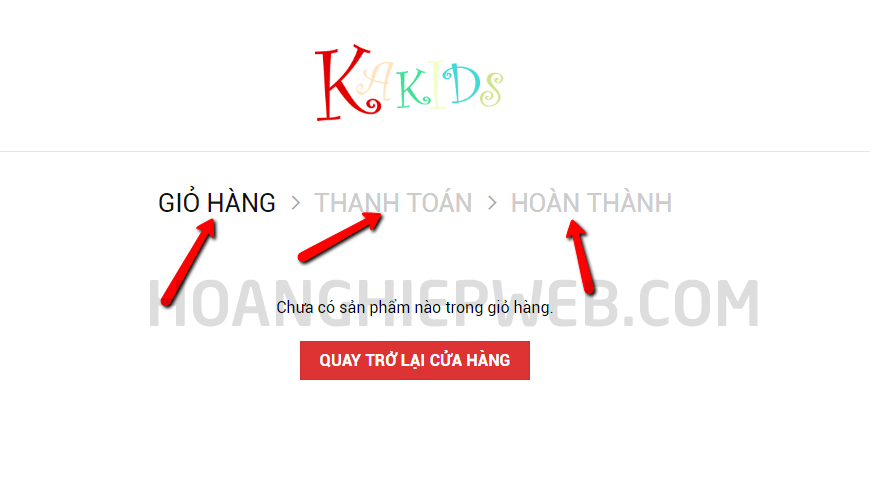
function my_custom_translations( $strings ) {
$text = array(
'Quick View' => 'Xem nhanh',
'SHOPPING CART' => 'Giỏ hàng',
'CHECKOUT DETAILS' => 'Thanh toán',
'ORDER COMPLETE' => 'Hoàn thành'
);
$strings = str_ireplace( array_keys( $text ), $text, $strings );
return $strings;
}
add_filter( 'gettext', 'my_custom_translations', 20 );


